Your cars, prices and classes
Manage your rental fleet for free: cars with photos, prices by days and seasons, deposit by class and “or similar”.
How it works
Step 1
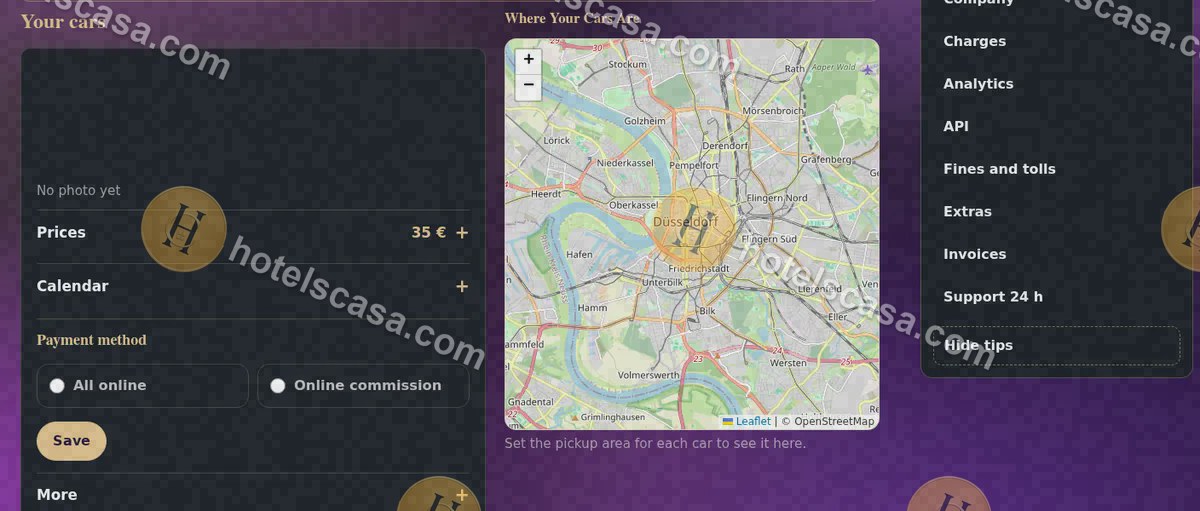
In “Your cars” you see every car and its status; from here you edit it or add another one.
Step 2
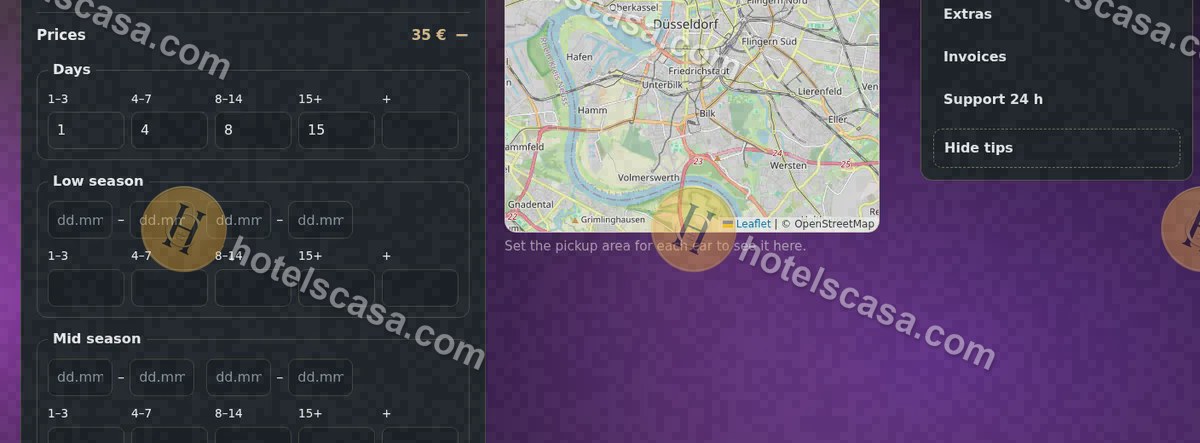
In “Prices” you set the price by day ranges (1–3, 4–7, 8–14, 15+) and by seasons.
Step 3
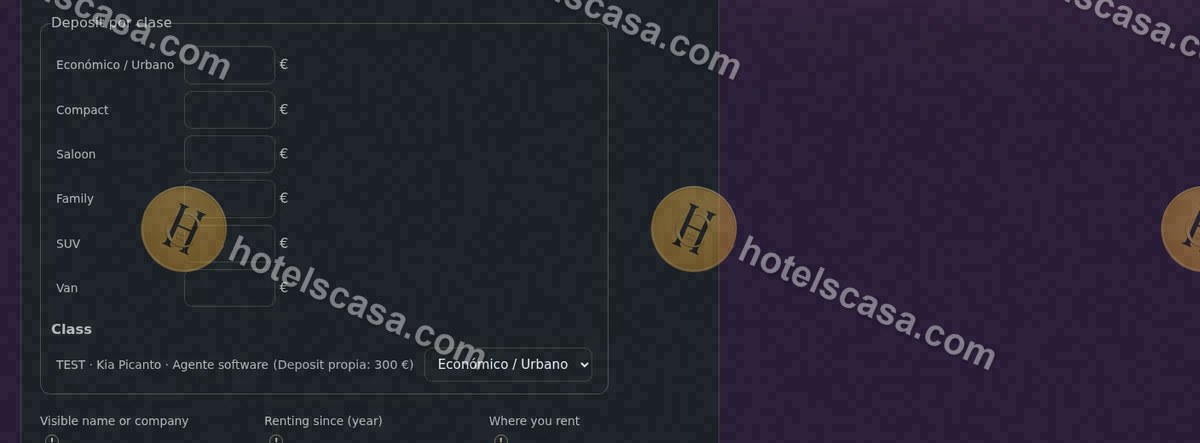
In “My public profile” you set the deposit for each class: a car without its own deposit uses its class deposit.
Searches: free fleet management software · seasonal car rental prices · car rental deposit · #RentalFleet #RentACar
Frequently asked questions
Can I list a car without photos?
Yes. You choose the class and colour and we add a HotelsCasa illustration; your photos, if you upload them, come first.
What is “or similar”?
If you turn it on, the customer sees the model with “or similar”: the car class is guaranteed, not the exact model.